

Learn how AI transforms education and writing skills. Learn how Turnitin checks work, AI detection accuracy, and smart tools for students.
The Future of AI in Education: Enhancing Writing Skills Through Technology
Artificial intelligence has become impossible to ignore in education. In 2025, 88% of higher education students reported using generative AI tools like ChatGPT for their coursework, up from 53% just one year earlier. That is not a trend. It is a transformation. If you are a student trying to figure out how AI fits into your academic life, you probably have questions about plagiarism tools, writing quality, and what professors actually see when they run a Turnitin check. This article breaks down what you need to know about AI in education, how it can sharpen your writing, and how to use it responsibly without falling into academic integrity traps.
How AI Is Reshaping Student Writing Right Now
The numbers tell a clear story. According to a 2025 HEPI survey, 92% of students now use AI tools in some capacity. Grammarly sits at 25% usage, ChatGPT dominates at 66%, and Microsoft Copilot holds steady at 25%. Students are not only experimenting; they are integrating these tools into their daily workflows. The most common use cases include brainstorming, summarizing research articles, editing grammar, and structuring arguments.
What is interesting is why students reach for these tools. A Zendy survey of over 1,500 students found that 51% use AI primarily to save time, while 50% want to improve the quality of their work. That is a practical motivation. Students are not looking for AI to replace their thinking. They want it to speed up the mechanical parts of writing so they can focus on ideas, analysis, and original arguments.
The technology itself has moved far beyond simple spell-checking. Modern AI writing assistants can suggest structural improvements, flag unclear sentences, recommend stronger vocabulary, and even help non-native English speakers express complex ideas with greater clarity. Macquarie University reported that students using AI-powered tutoring saw exam results improve by up to 10% in early 2025.
What a Turnitin Scan Actually Looks For
If your school uses Turnitin, understanding what happens during a Turnitin scan can save you unnecessary stress. Turnitin does not detect plagiarism directly. It identifies similarity. When you submit a paper, the system compares your text against a massive database that includes billions of web pages, academic journals, periodicals, and previously submitted student papers. It then highlights any matching text and produces a similarity score.
That similarity score is just a percentage. It does not mean you cheated. A paper with a 30% similarity score might be perfectly fine if the matches come from properly cited quotations and a reference list. Conversely, a 5% score could still contain problematic uncited material. Context matters, and instructors know this.
Since 2023, Turnitin has also added AI writing detection to its toolkit. This feature works differently from similarity checking. Instead of looking for text matches, the AI detection model analyzes writing patterns. It breaks your submission into segments of about five to ten sentences, then evaluates each segment for statistical patterns associated with AI-generated text. The model looks at four characteristics: perplexity (how predictable your word choices are), burstiness (variation in sentence length), repetitiveness, and signs of generic or detached writing style.
Turnitin publishes a 98% accuracy claim for its AI detection with under 1% false positive rate on documents containing more than 20% AI-generated text. Independent research from Stanford has raised questions about bias, particularly with non-native English writers, where false positive rates have climbed as high as 61% in some studies. Turnitin has responded by calibrating its model to flag content only when there is at least 98% certainty.
For a deeper look at how Turnitin processes submissions and what can cause report delays, refer to the official Turnitin support documentation on troubleshooting Similarity Report loading delays and errors.
Troubleshooting Similarity Report loading delays and errors
Turnitin AI Detection: What Students Should Actually Know
The introduction of Turnitin AI detection has created a lot of confusion. Let us clear it up.
The Detection Score Is Not a Verdict
Turnitin AI detection produces a percentage representing the portion of your text that the model predicts was AI-generated. Scores below 20% display as an asterisk percentage symbol, which means the system is intentionally not quantifying low probabilities to avoid false positives. A high score is a signal for investigation, not proof of misconduct. Your instructor will look at the full context.
Students Cannot See the AI Report
Here is something many students do not realize. Turnitin AI detection reports are visible only to instructors and administrators. Even if your school lets you view your similarity score, the AI report remains hidden from student accounts. If your instructor has concerns, they can share a PDF copy of the report with you, but access is entirely at their discretion.
What Triggers False Positives
Several factors can cause human-written text to be flagged as AI-generated. These include overly formal academic prose, highly structured writing, use of grammar-checking tools like Grammarly, paraphrasing tools like QuillBot, and writing by non-native English speakers who tend toward more predictable sentence patterns. If you write in a formulaic way, the model may assign higher AI probability scores.
Supported Languages
As of mid-2025, Turnitin AI detection supports English and Spanish submissions. The similarity report itself covers over 30 languages, but AI detection remains limited. If you submit in an unsupported language, the AI indicator will show an error state rather than a score.
Using AI Tools to Strengthen Your Writing Skills
AI is not the enemy of good writing. Used correctly, it is a powerful training partner. Here is how to approach it.
Use AI for Structure, Not Substance
The smartest way to use AI writing tools is for organization and clarity. Ask ChatGPT or Claude to suggest an outline for your argument. Have it rephrase a confusing paragraph so you can see a clearer alternative. Use it to check grammar and punctuation. But never let it replace your own analysis, examples, and voice. Your professor wants to read your thinking, not a generic AI summary.
Treat AI Output as a First Draft
AI-generated text tends toward the generic. It lacks personal anecdotes, specific examples, and the subtle opinions that make writing engaging. When you get AI-generated content, rewrite it. Add your own examples. Change the vocabulary to match how you actually speak. Insert transitions that feel natural to you. This process, called humanization, improves your writing while reducing the risk of triggering AI detection tools.
Develop Your Voice Intentionally
The best defense against any AI detector is writing that sounds like you. Vary your sentence length deliberately. Mix short punchy statements with longer explanatory ones. Use transitions that feel conversational rather than robotic. Include specific details from your own experience or research. AI struggles to replicate genuine personal perspective, so lean into it.
How Turnitin for Students Works in Practice
Turnitin for students works through your institution. You cannot buy an individual license directly from Turnitin, despite what some third-party websites claim. Your school pays for an institutional license and integrates Turnitin into its Learning Management System, such as Canvas, Blackboard, or Moodle.
When you submit an assignment, your paper gets checked automatically. Depending on your school’s settings, you may see a similarity score immediately, or you may have to wait until your instructor releases it. Some schools hide similarity reports entirely from students. If you are unsure, check your course syllabus or ask your professor directly.
One practical tip: if your school allows pre-submission checks, use them. Many institutions offer a practice Turnitin assignment where you can submit a draft, review the similarity report, and make corrections before submitting the final version. This is one of the most underused resources available to students.
Building Better Writing Habits With Technology
AI tools can make you a better writer if you use them as feedback mechanisms rather than replacement engines. Think of it like a tennis player using a ball machine. The machine feeds you practice, but you still have to hit the ball.
Start by paying attention to the patterns in your writing. When Grammarly flags the same type of error repeatedly, that is a signal. Maybe you overuse passive voice. Maybe your transitions are weak. Maybe you struggle with comma placement. These patterns reveal specific skills to work on.
Another habit: read your work aloud before submitting. This sounds old-fashioned, but it works. Your ears catch awkward phrasing that your eyes miss. If a sentence feels clunky when spoken, rewrite it. AI tools can suggest alternatives, but the final decision about what sounds right should be yours.
Finally, keep a swipe file. Save sentences, paragraphs, and transitions from your own writing that you are proud of. Over time, this becomes a personal style guide. It helps you recognize what good writing feels like when you produce it, which makes it easier to reproduce.
What Educators Are Saying About AI Writing Tools
The educator response to AI in writing has been mixed, and understanding both sides helps you work through expectations.
On the supportive side, 71% of teachers say AI tools are essential for student success in college and work. Many educators actively encourage students to use AI for brainstorming, grammar checking, and idea generation. They see these tools as leveling the playing field, particularly for students who lack access to traditional tutoring or who are writing in a second language.
On the cautious side, 70% of teachers worry that AI weakens critical thinking and research skills. Some have banned AI outright for certain assignments. Others have redesigned their assessments to focus on in-class writing, oral presentations, and process-based work where students submit drafts and revisions.
The key takeaway: policies vary dramatically between schools, departments, and individual professors. Always check your syllabus. If the policy is unclear, ask. Most professors appreciate students who take the initiative to clarify expectations rather than guessing.
Frequently Asked Questions
Can Turnitin detect ChatGPT-generated text?
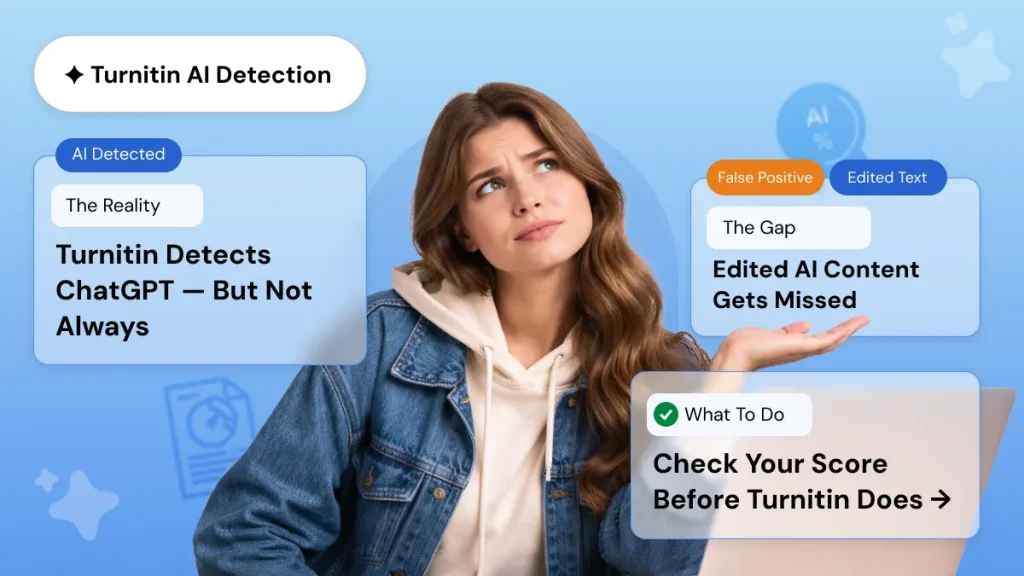
Yes. Turnitin AI detection can identify text generated by GPT-3, GPT-3.5, GPT-4, and many newer models. The company claims 98% accuracy with under 1% false positives for documents with over 20% AI content. However, heavily edited AI text or text rewritten with personal examples may evade detection.
Is using AI for writing considered plagiarism?
It depends on your school’s policy. Some institutions treat unacknowledged AI use as academic misconduct. Others allow AI assistance with proper citation. About 70% of educators agree that submitting AI-generated text as your own original work constitutes plagiarism. When in doubt, disclose your AI use to your instructor.
Can I do a Turnitin check before submitting my final paper?
That depends on your institution. Some schools provide practice submission folders where you can run a Turnitin check before the final due date. If your school does not offer this, you cannot purchase individual Turnitin access. Be wary of third-party services claiming to sell Turnitin checks; many are scams or provide inaccurate results.
Why did Turnitin flag my writing as AI when I wrote it myself?
False positives happen. They are more common for non-native English speakers, highly structured academic writing, and text edited with grammar tools like Grammarly or QuillBot. Turnitin calibrates its model to minimize false positives, but no detector is perfect. If you believe your work was incorrectly flagged, discuss it with your instructor and explain your writing process.
How can I lower my AI detection score?
Write in your natural voice. Vary sentence length. Include specific examples and personal perspective. Avoid generic transitions like furthermore, moreover, and therefore in every sentence. Edit AI-generated drafts heavily, adding your own analysis and rewriting sections in your own words. The goal is not to trick the detector; it is to produce writing that genuinely reflects your thinking.
What is the difference between a similarity score and an AI score in Turnitin?
The similarity score measures how much of your text matches sources in Turnitin’s database. The AI score predicts how much of your text was likely generated by AI. These are independent metrics. A paper can have 0% similarity and 80% AI, or 40% similarity and 0% AI. Both scores help instructors assess originality, but neither proves misconduct on its own.
Looking Ahead: Writing in the AI Era
AI is not going away. The global market for AI in education reached $7.57 billion in 2025 and shows no signs of slowing. For students, this means adaptation is necessary. The writers who thrive will be those who learn to collaborate with AI rather than depend on it entirely.
The future belongs to students who can use AI to speed up research, improve grammar, and organize ideas, while still producing original analysis and authentic voice. Understanding how a Turnitin check works, what Turnitin AI detection actually measures, and how to use tools like Turnitin for students responsibly gives you an advantage. You are not fighting the technology. You are learning to work with it while keeping your own skills sharp.
The bottom line: let AI handle the mechanics. You handle the thinking. That combination is what will set your writing apart.
Beat Plagiarism & AI Detectors with Confidence
Worried about plagiarism scores or AI detection flags? Get Plagiarism reports, expert humanization, and original papers written from scratch — all in one place and before your deadline.
100% Confidential • Turnaround as fast as 3 hours • Money-back guarantee